The problem
A new cap table tool opens empty. To find out whether you trust it, you have to type in your real company first: share counts, founders, every SAFE. That's a lot of sensitive numbers to hand over to an app you've known for five minutes. It's also a lot of work before you've seen a single screen that's useful to you.
Capfolder keeps your cap table in a folder on your own computer, so the "hand it over" part was already solved. The "empty screen" part wasn't. Version 0.1.3 fixes that in four ways.
1. A sample company to click around in
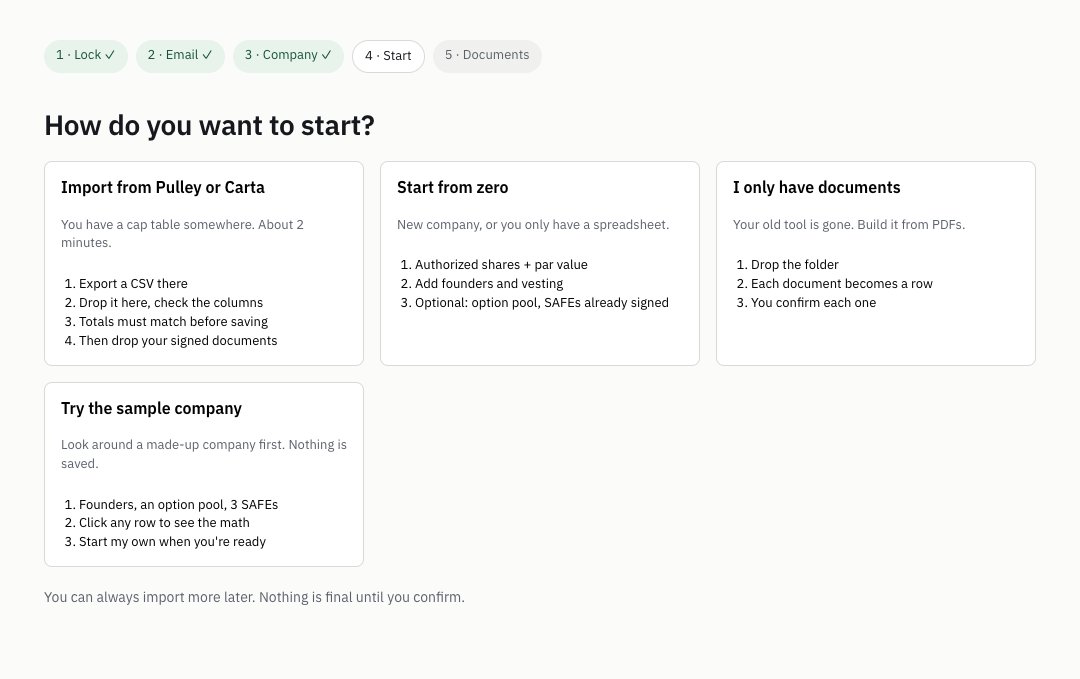
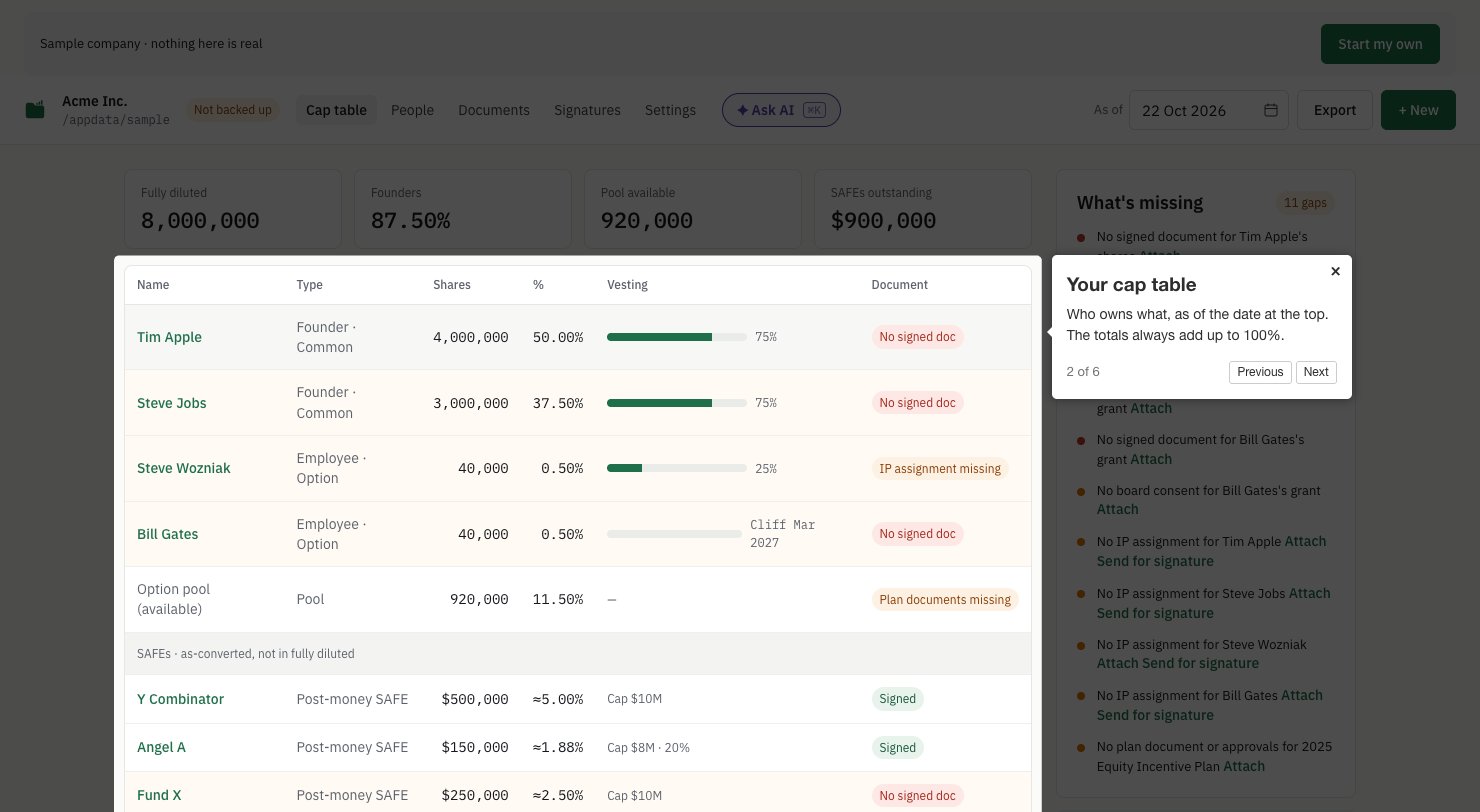
On the first screen, or when you choose how to start, pick Try the sample company. Capfolder opens Acme Inc., a made-up company with two founders (Tim Apple and Steve Jobs), two employees with options, an option pool and three SAFEs.
Everything works the way it does with your own company. Click a row to see how its vesting is worked out, open What's missing to see which signed documents a lawyer would ask for (the sample has 11 gaps on purpose).
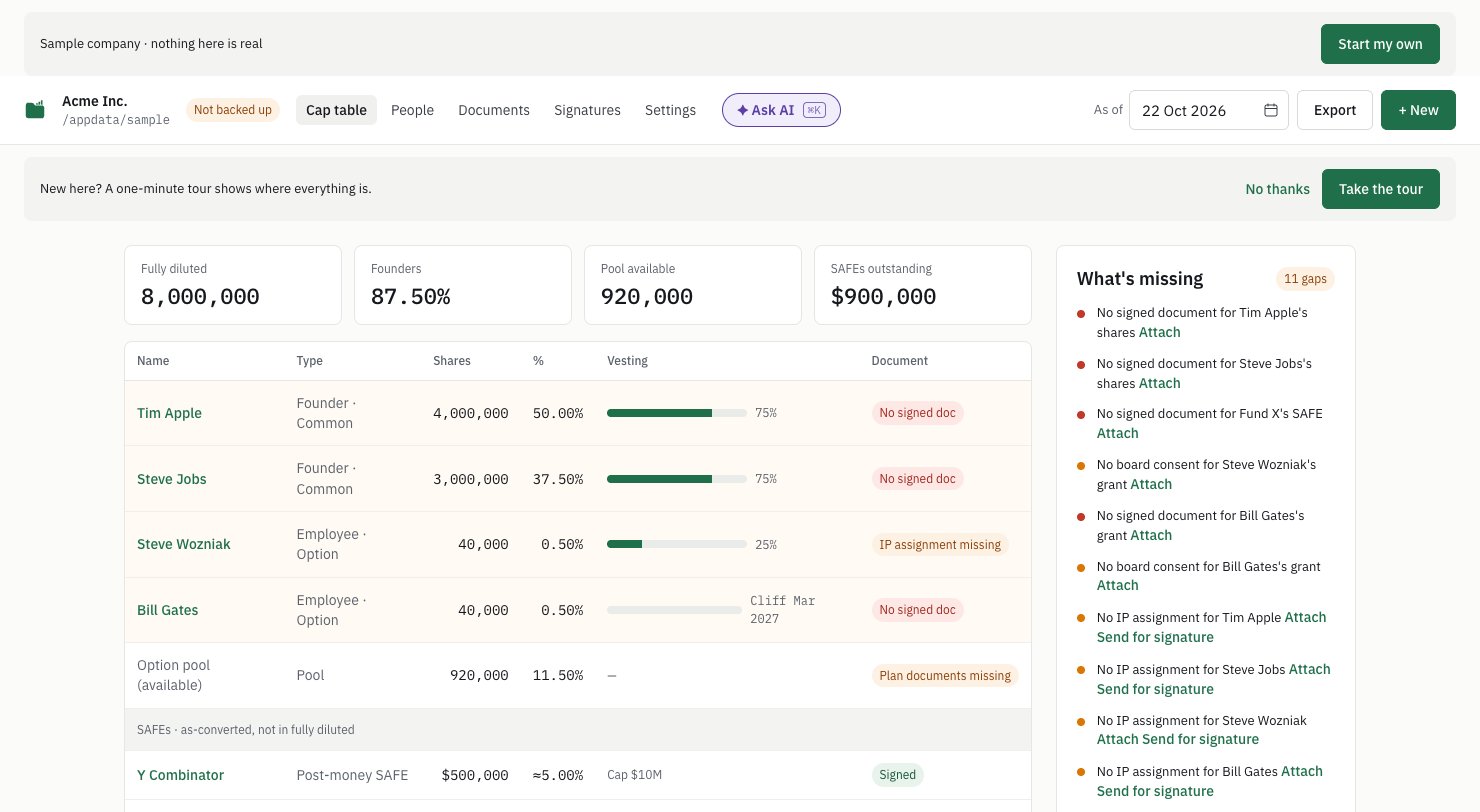
Nothing you do there is saved: every save is refused with a plain message. When you're ready, Start my own takes you back to setting up your real company.
2. Three quick questions
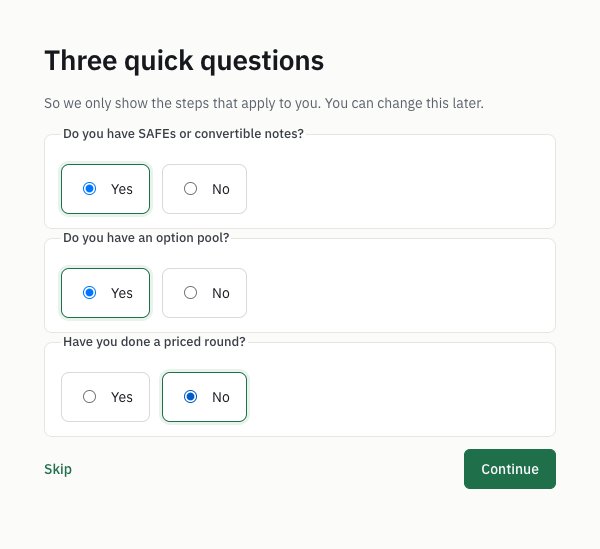
Before setup, Capfolder asks three things: do you have SAFEs or convertible notes, do you have an option pool, and have you done a priced round? The answers hide the steps that don't apply. You can skip them, and you can change your answers later.
3. A Get started list that ticks itself
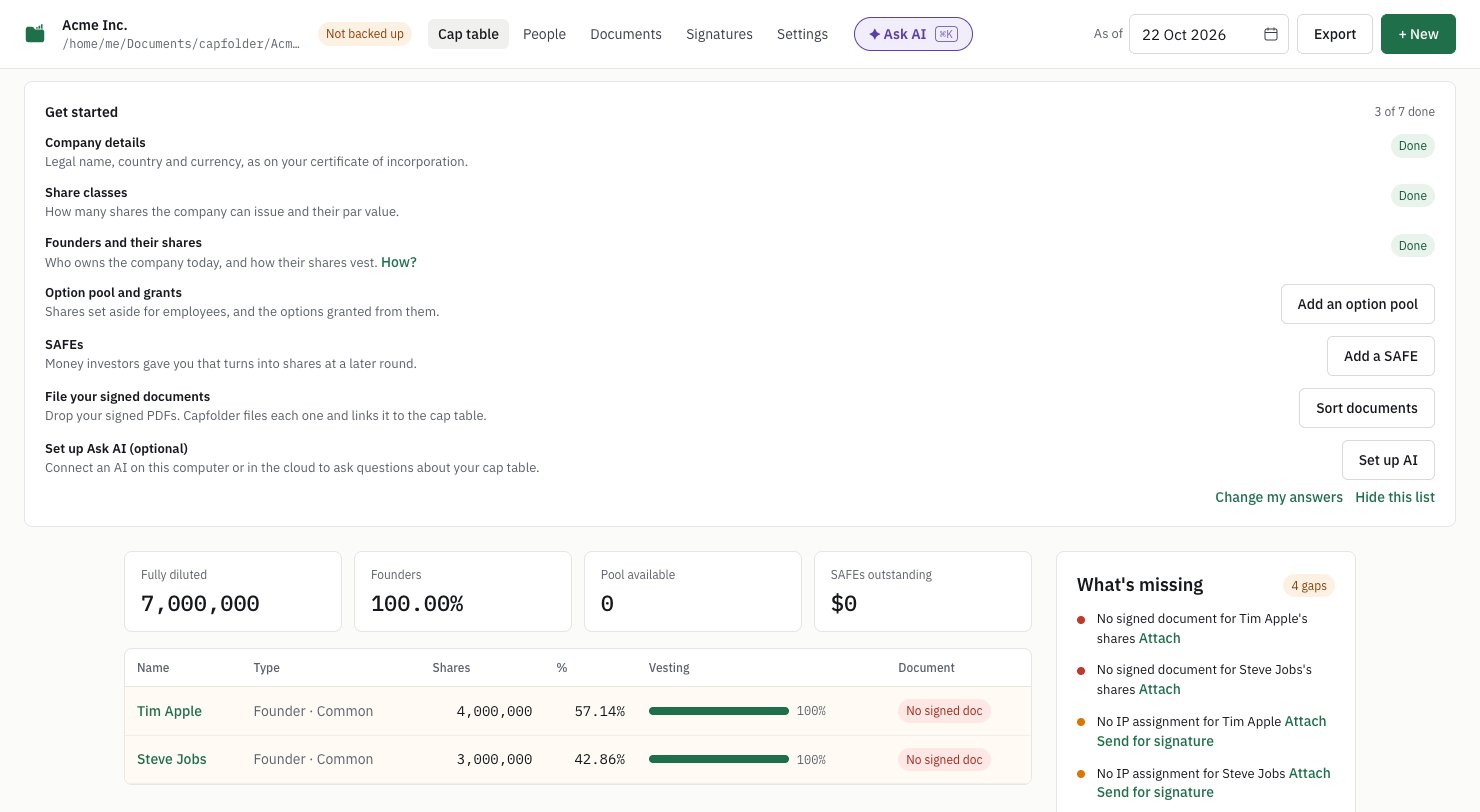
After setup, your cap table shows a short checklist: company details, share classes, founders, the option pool, SAFEs, your signed documents, and (optional) Ask AI. Each line ticks itself when the cap table has that thing, so you never tick boxes by hand. Each open line has the button that does it. When you're done, hide the list.
4. A one-minute tour, and "?" tips
The first time your cap table has something in it (or the first time you open the sample company), Capfolder offers a tour. It has six stops: the company folder, the cap table, a holding, Documents, Signatures and Ask AI. Settings → Tour runs it again. Next to the words people ask about most (valuation cap, discount, cliff, par value and vesting start) there's now a small "?" that explains them in one sentence.
What it doesn't do yet
- The sample company is read-only, so you can't try sending a SAFE for signature in it. Do that in your own company folder.
- The builds are still unsigned, so the first time you open Capfolder you confirm it once. On macOS: System Settings → Privacy & Security → Open Anyway. On Windows: More info → Run anyway.
Try it
Capfolder is free and open source (AGPL-3.0), and runs on macOS, Windows and Linux. There's no account to create: download it, open it, and click Try the sample company.
When you set up your company's cap table for the first time, what took the longest? Tell us on GitHub.
Screenshots from Capfolder 0.1.3 with the sample company. Full list of changes: CHANGELOG. Capfolder isn't legal advice.