
The problem
A cap table tells you who owns what today. The question founders and employees actually ask is about time: how much has vested, when is the next vest, when is it all mine? Until now Capfolder answered that one holding at a time. You had to click into each row and read the math.
Version 0.1.4 puts the answer on one screen, and on each person's page.
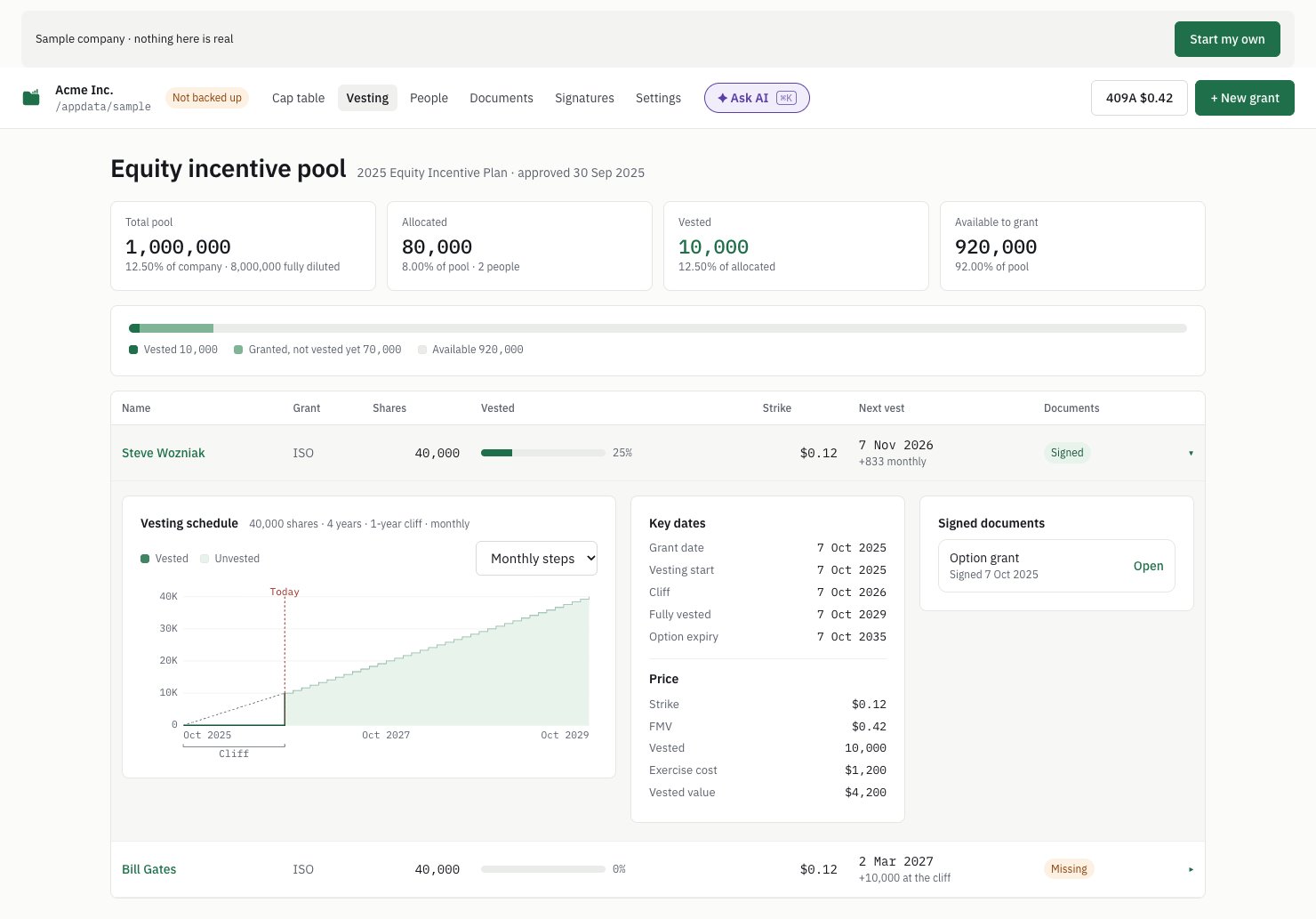
1. A Vesting screen for the option pool
The new Vesting tab shows the pool at a glance: total, allocated, vested and still available to grant, as cards and as one bar. Below it, a row per grant with its strike price, how much has vested and the next vest date. Open a row to see its vesting graph: the cliff, the monthly steps, today, and where vesting stops if someone leaves. The key dates and the signed documents sit next to it.
2. A person page you can read in five seconds
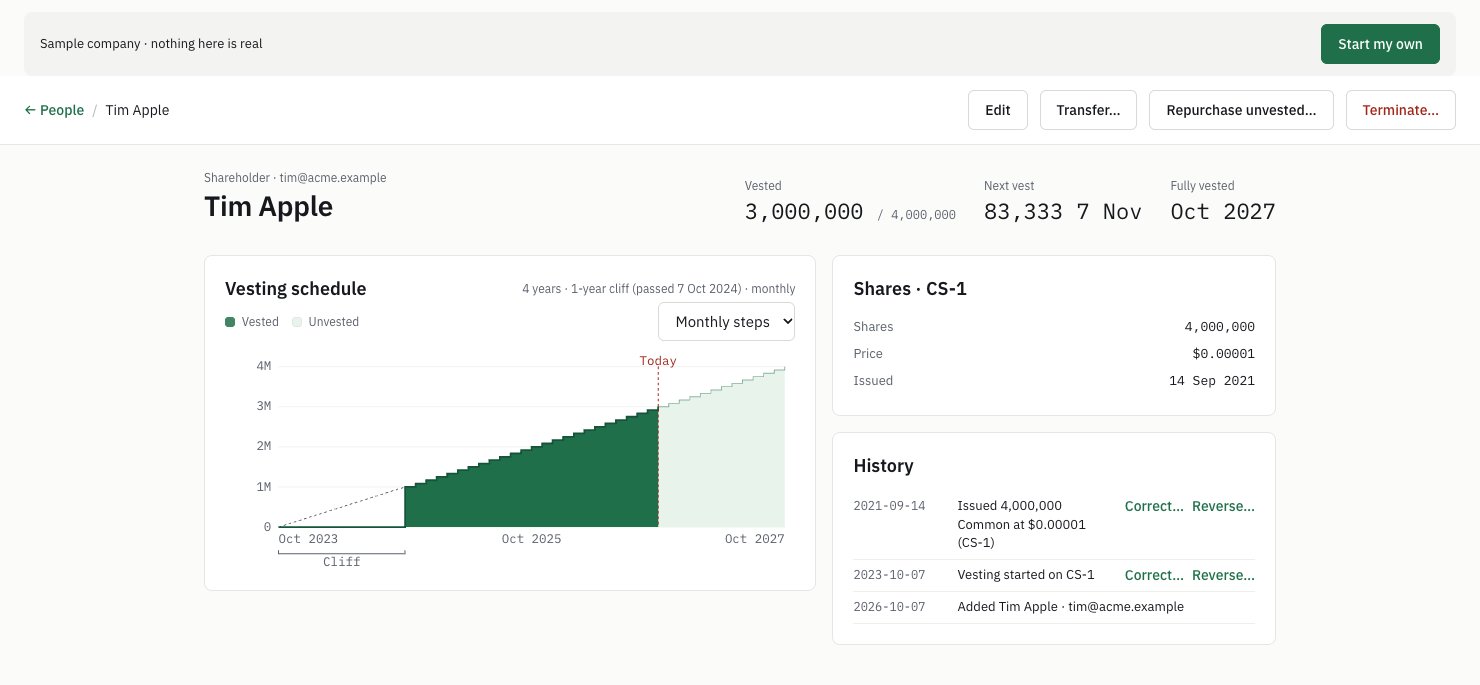
Click a name anywhere and the three numbers people ask about sit next to it: vested, next vest and fully vested. The vesting graph is on the left, the holding and its history on the right. On a narrow window they stack. The graph's axis labels are short now (40K, 4M), so they no longer get cut off.
3. Check an import against Pulley, Carta or Cake
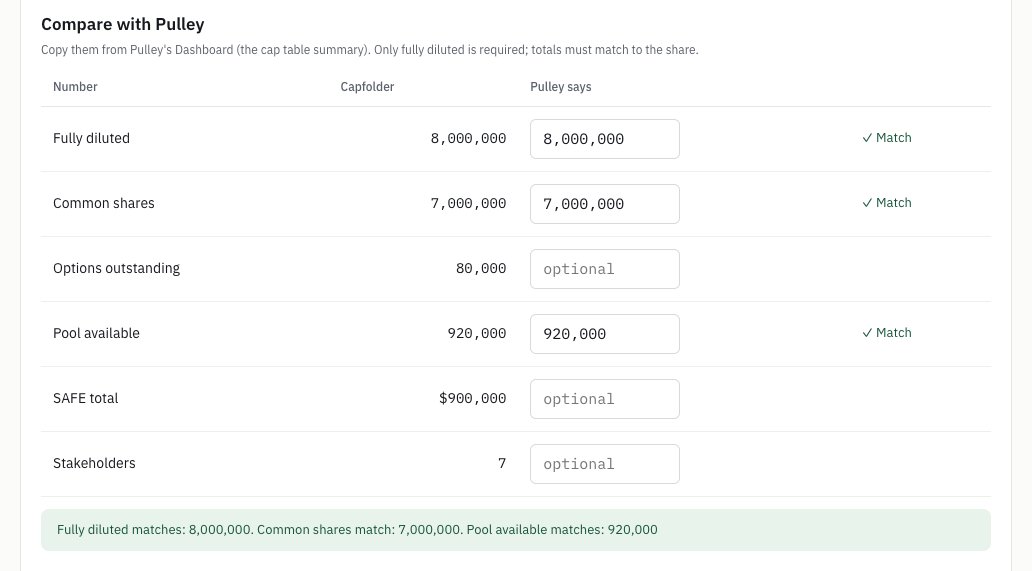
When you import, the last step now shows each total next to a box for the old tool's number. Fully diluted is required. Each share class, options outstanding, pool available, SAFE total and number of stakeholders are optional. Capfolder checks them to the share. It also checks the vested-so-far column in the file against the schedule, and blocks the import if a grant shows more vested than granted.
After you save, a Before you cancel card on the cap table lists what to keep from the old tool before you cancel it: every signed document, the board consents and option plan, the last 409A report, and a hand check of 3 people.
4. "What needs my attention?"
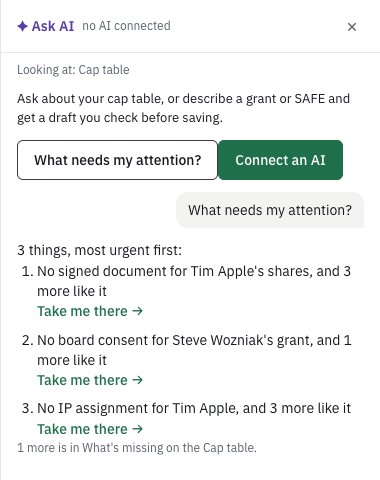
Ask AI now has one question that works with no AI connected: What needs my attention? It lists up to three things to do next, most urgent first, each with a Take me there button.
And a few smaller things
- Excel export starts with an Overview tab: the key numbers, an ownership chart and vested over time, as real Excel charts. Then Vesting by month and Missing documents.
- Try the sample company is now a button on the first screen, and the Get started steps link to the guides.
- As of follows the calendar. If you leave the app open overnight, the date moves with it, so a SAFE signed today no longer hides behind yesterday's date. A date you pick yourself still stays put.
- Free signing is now 5 requests a month (it was 10). If you host the signing relay yourself, you set the limit.
What it doesn't do yet
- The import check compares totals, not every row. That's why the Before you cancel card asks you to check 3 people by hand.
- The builds are still unsigned, so the first time you open Capfolder you confirm it once. On macOS: System Settings → Privacy & Security → Open Anyway. On Windows: More info → Run anyway.
Try it
Capfolder is free and open source (AGPL-3.0), and runs on macOS, Windows and Linux. Your cap table stays in a folder on your own computer. There's no account to create: download it, open it, and click Try the sample company to see the Vesting screen first.
When someone on your team asks "how much of mine has vested?", how do you answer today? Tell us on GitHub.
Screenshots from Capfolder 0.1.4 with the sample company. Full list of changes: CHANGELOG. Capfolder isn't legal advice.